
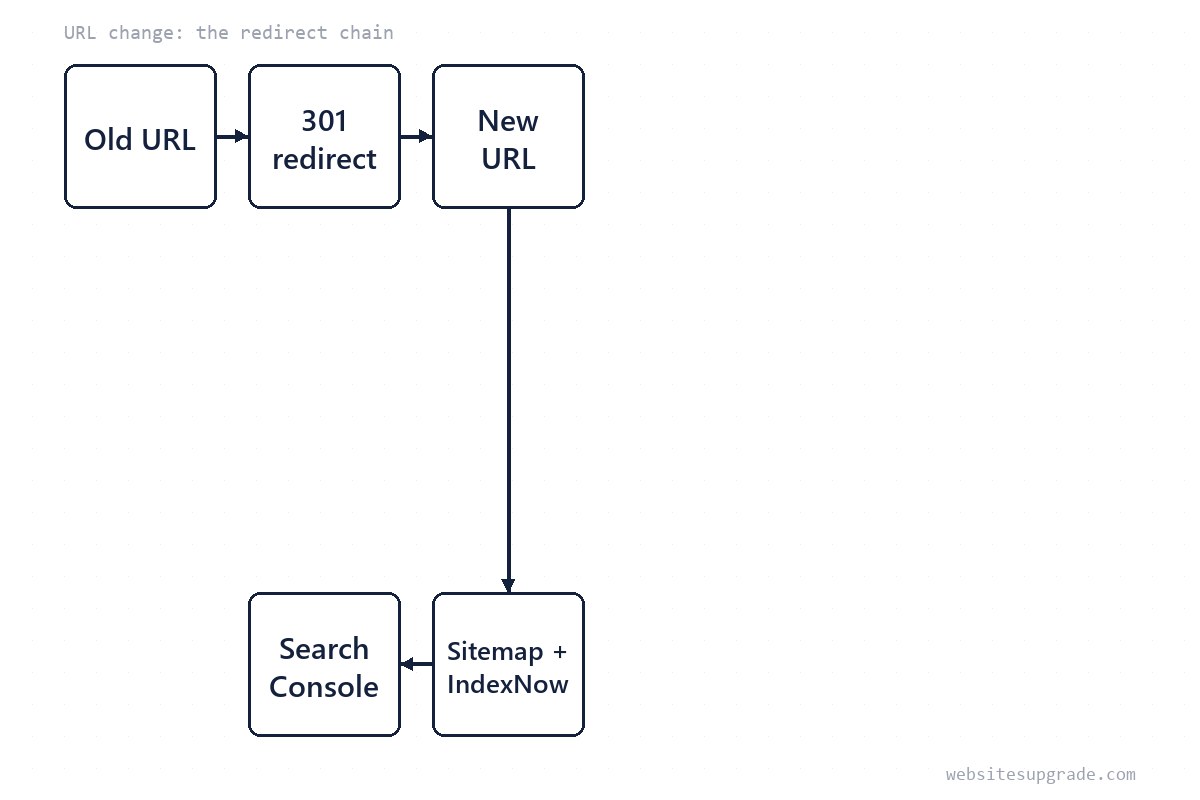
Changing your URL structure — dropping .html, moving /blog/ to /guides/, renaming slugs — is one of the most reliably mishandled upgrades on the web. The mechanics are simple, but the failure mode is unforgiving: every old URL that does not 301 to its replacement starts returning 404, and whatever ranking equity that page earned evaporates within weeks.
This checklist is the process we use, in order. It assumes a small-to-medium site where you control the server config or CDN rules. For the surrounding context of a platform move, see our other guides.
How Google actually treats redirects
As of 2026, Google's documentation is consistent on the essentials: a permanent redirect (301 or 308) is a strong signal that the target should become the canonical URL and inherit the old page's signals; a temporary one (302, 307, JavaScript or meta-refresh redirects) is a weak signal and preserves the source. Google also treats a redirect to an irrelevant page — the homepage, a category index — as a soft 404, which preserves nothing.
Two practical consequences: use a real server-side 301, and map page to page, not page to homepage. Ranking transfer is not instant; expect days to a few weeks for Google to recrawl and consolidate.

Redirect types, ranked by what they preserve
Not every way of sending a visitor elsewhere is equal. Google's documentation draws a clear line between server-side permanent redirects and everything else, as of 2026:
| Method | Status code | Signal to Google | Use it for |
|---|---|---|---|
| Server 301 / 308 | Permanent | Strong — target becomes canonical | Real URL moves (the default choice) |
| Server 302 / 307 | Temporary | Weak — source stays canonical | Genuine temporary moves only |
| Meta refresh | — | Weak, and only if instant | Last resort when you cannot touch the server |
| JavaScript redirect | — | Weakest — needs rendering to be seen | Avoid for SEO-critical moves |
| Crypto/domain redirect ("this site moved") | — | None | Avoid entirely |
The practical rule is one line long: if the URL moved forever, it is a 301. The edge cases that break sites are chains and loops — a redirect chain (/a -> /b -> /c) makes Google follow multiple hops and dilutes the signal at each one, while a loop breaks the URL outright. When you consolidate rules, always point every hop at the final destination.
Build the redirect map before you deploy
The map is the deliverable everything else hangs on. A spreadsheet with two columns — old path, new path — covering every indexable URL:
- Export your current URL list: crawl the site with a tool like Screaming Frog (free up to 500 URLs), or pull the sitemap and analytics landing-page report for the last year.
- Decide the new URL for each. If a page is genuinely retired with no equivalent, let it 404 cleanly or redirect to the single closest match — never the homepage en masse.
- Check for existing redirects feeding into the URLs you are changing. Chains (
/a->/b->/c) dilute signals; update the earliest hop to point at the final URL directly. - Include trailing-slash and case variants your old site tolerated —
/About.htmland/about/are different URLs to a server. - Have a second person check the map against the crawl before it ships. Missed pages are the #1 cause of traffic loss in migrations.
Write the rules: tested examples
Apache / .htaccess (the pattern this site's own generated .htaccess uses — per-page rules plus a catch for legacy patterns):
RewriteEngine On
RewriteRule ^old-page\.html$ https://example.com/new-page/ [L,R=301]
RewriteRule ^blog/(.*)$ https://example.com/guides/$1 [L,R=301,NC]
nginx:
rewrite ^/old-page\.html$ /new-page/ permanent;
rewrite ^/blog/(.*)$ /guides/$1 permanent;
Cloudflare (for sites behind it): a Redirect Rule or Bulk Redirect list handles this at the edge — preferable when the origin is a shared host you do not fully control. Test each rule form with curl -I before go-live: you want HTTP/1.1 301 and a Location pointing at the final URL, with exactly one hop.
Test the map before and after go-live
Two cheap tests catch almost every mistake:
- Before deploy: run the new rules on a staging host or local copy and
curl -Ia sample from every pattern — a renamed page, a directory move, a trailing-slash variant. You want exactly one 301 and aLocationthat is already the final URL. - After deploy: re-crawl the whole site and diff the old URL list against live status codes. Every old URL should answer 301; every new URL 200; and nothing anywhere should answer 404 that used to exist. Any 404 with historical traffic is a map entry you missed — fix it the same day rather than waiting for Search Console to notice.
Fix every internal reference
Redirects are a safety net, not the plan. Google explicitly recommends updating internal links, sitemaps, canonicals, and structured data to the new URLs rather than relying on the redirect. Crawl the new site after deploy and confirm zero internal links still point at old paths — every live redirect chain you leave behind is a small leak of crawl budget and signal.
Also update: the XML sitemap (regenerate and resubmit), RSS feed URLs, your CDN/Page Rules, email templates, and any absolute URLs in content.
Submit and monitor for eight weeks
- Resubmit the new sitemap in Search Console the day you deploy.
- If you also changed domain, use the Change of Address tool; for path-only changes it is not needed.
- Watch the Pages (index coverage) report: old URLs should migrate to "Page with redirect"; new URLs should index cleanly.
- Watch 404s — any old URL with traffic that 404s is a map entry you missed. Add the rule the same day.
- Compare clicks/impressions weekly. A brief dip is normal; a sustained drop after 4-8 weeks means something in the map is wrong — start with the highest-traffic old URLs.
If you want faster discovery on Bing and participating engines, an IndexNow ping on deploy day takes minutes to add; it does not replace Search Console monitoring, it just shortens the crawl lag.
When this does not apply
Single-page edits and adding new URLs need none of this — redirects are for changed or removed addresses. And if your site is behind a platform you cannot configure (some hosted builders), check their built-in redirect manager first; hand-rolled rules may not be possible at all.
— Editorial team. Facts current as of 2026; we revise guides when the ground shifts.
Frequently Asked Questions
301 or 302 — does it really matter?
Yes. Google treats a 301 (or 308) as a strong signal that the new URL should be canonical; a 302/307 says 'temporary'. Using a temporary code for a permanent move delays or blocks consolidation of your rankings.
How long should redirects stay in place?
Google's site-move guidance recommends keeping redirects for at least one year; in practice, leave them indefinitely — they cost almost nothing and old links live for years.
Can I redirect everything to the homepage?
Do not. Google treats mass redirects to an unrelated page (like the home page) as soft 404s, which preserves nothing. Map each old URL to its closest real equivalent.